This document is for a deprecated release of Opendaylight and will receive only security updates.
OpenDayligh is a collection of projects, each with their own code repository. This section provides a general guide for to pulling, hacking, and pushing the code for each project. For project specific detail, refer to the project’s section in this guide.
Code reviews are enabled through Gerrit. For setting up Gerrit see the section on Getting started with Git and Gerrit.
Note
You will need to perform the Gerrit Setup before you can access git via ssh as described below.
Pull the code by cloning the project’s repository.
git clone ssh://<username>@git.opendaylight.org:29418/<project_repo_name>.git
where <username> is your OpenDaylight username, and <project_repo_name> is the name of the repository for project you are trying to pull. Here is the current list of project repository names:
aaa, affinity, bgpcep, controller, defense4all, dlux, docs, groupbasedpolicy, integration, l2switch, lispflowmapping, odlparent, opendove, openflowjava, openflowplugin, opflex, ovsdb, packetcable, reservation, sdninterfaceapp, sfc, snbi, snmp4sdn, toolkit, ttp, vtn, yangtools.
For an anonymous git clone, you can use:
git clone https://git.opendaylight.org/gerrit/p/<project_repo_name>.git
cd <project_repo_name>
scp -p -P 29418 <username>@git.opendaylight.org:hooks/commit-msg .git/hooks/
chmod 755 .git/hooks/commit-msg
While you are in the <project_repo_name> directory, run
mvn clean install
To run without unitests you can skip building those tests running the following:
mvn clean install -DskipTests
/* instead of "mvn clean install" */
Change to the karaf distribution sub-directory, and run
./target/assembly/bin/karaf
At this point the OpenDaylight controller is running. You can now open a web browser and point your browser at http://localhost:8080/
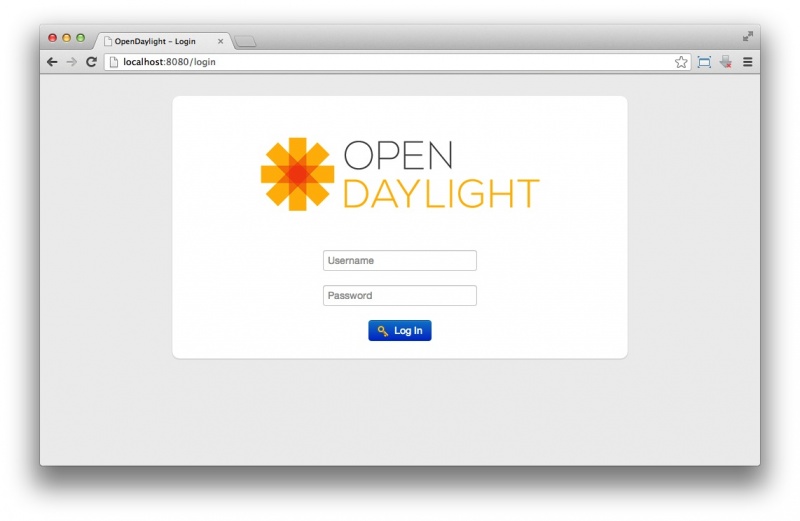
OpenDaylight Main Page
Note
To be accepted, all code mustcome with a developer certificate of origin as expressed by having a Signed-off-by. This means that you are asserting that you have made the change and you understand that the work was done as part of an open-source license.
Developer's Certificate of Origin 1.1

        By making a contribution to this project, I certify that:

        (a) The contribution was created in whole or in part by me and I
            have the right to submit it under the open source license
            indicated in the file; or

        (b) The contribution is based upon previous work that, to the best
            of my knowledge, is covered under an appropriate open source
            license and I have the right under that license to submit that
            work with modifications, whether created in whole or in part
            by me, under the same open source license (unless I am
            permitted to submit under a different license), as indicated
            in the file; or

        (c) The contribution was provided directly to me by some other
            person who certified (a), (b) or (c) and I have not modified
            it.

        (d) I understand and agree that this project and the contribution
            are public and that a record of the contribution (including all
            personal information I submit with it, including my sign-off) is
            maintained indefinitely and may be redistributed consistent with
            this project or the open source license(s) involved.
Mechanically you do it this way:
git commit --signoff
You will be prompted for a commit message. If you are fixing a buzilla bug you can add the associated bug number to your commit message and it will get linked from Gerrit:
For Example:.
Fix for bug 2.

Signed-off-by: Ed Warnicke <eaw@cisco.com>
# Please enter the commit message for your changes. Lines starting
# with '#' will be ignored, and an empty message aborts the commit.
# On branch develop
# Changes to be committed:
#   (use "git reset HEAD <file>..." to unstage)
#
#       modified:   README
#
Pull the latest changes from the remote repository
git remote update
git rebase origin/<project_main_branch_name>
where <project_main_branch_name> is the the branch you want to commit to. For most projects this is master branch. For some projects such as lispflowmapping, a different branch name (develop in the case of lispflowmapping) should be used.
Use git review to push your changes back to the remote repository using:
git review
You can set a topic for your patch by:
git review -t <topic>
You will get a message pointing you to your gerrit request like:
==========================
remote: Resolving deltas: 100% (2/2) +
remote: Processing changes: new: 1, refs: 1, done    +
remote: +
remote: New Changes: +
remote:   http://git.opendaylight.org/gerrit/64 +
remote: +
==========================
The Jenkins Controller User will verify your code and post the result on the your gerrit request.
Follow the link you got above to see your commit in Gerrit:
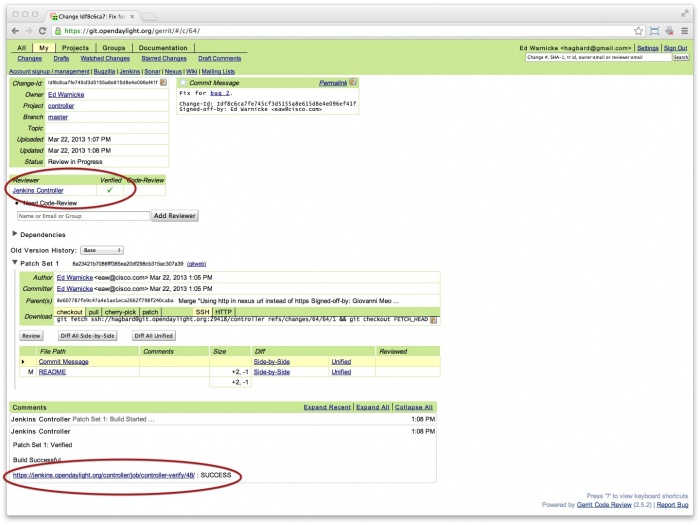
Gerritt Code Review Sample
Note that the Jenkins Controller User has verified your code and at the bottom is a link to the Jenkins build.
Once your code has been reviewed and submitted by a committer it will be merged into the authoritative repo, which would look like this:
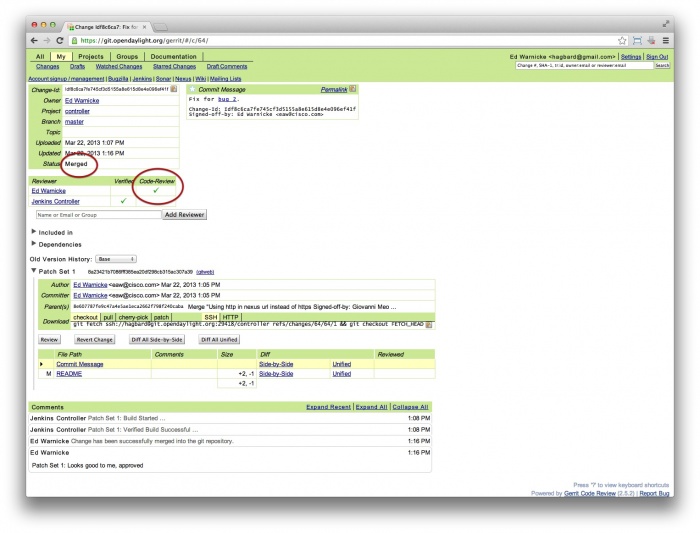
Gerritt Code Merge Sample
There have been reports that many corporate firewalls block port 29418. If that’s the case, please follow the Setting up HTTP in Gerrit instructions and use git URL:
git clone https://<your_username>@git.opendaylight.org/gerrit/p/<project_repo_name>.git
You will be prompted for the password you generated in Setting up HTTP in Gerrit.
All other instructions on this page remain unchanged.
To download pre-built images with ODP bootstraps see the following Github project:
